The Science Behind IPTV Streaming
IPTV streaming represents one of the most sophisticated content delivery technologies in modern entertainment. Unlike traditional broadcast methods that send the same signal to all viewers simultaneously, IPTV streaming delivers personalized video streams over internet protocol networks, enabling viewers to watch what they want, when they want. Understanding how this technology works helps viewers optimize their setup and troubleshoot issues effectively.
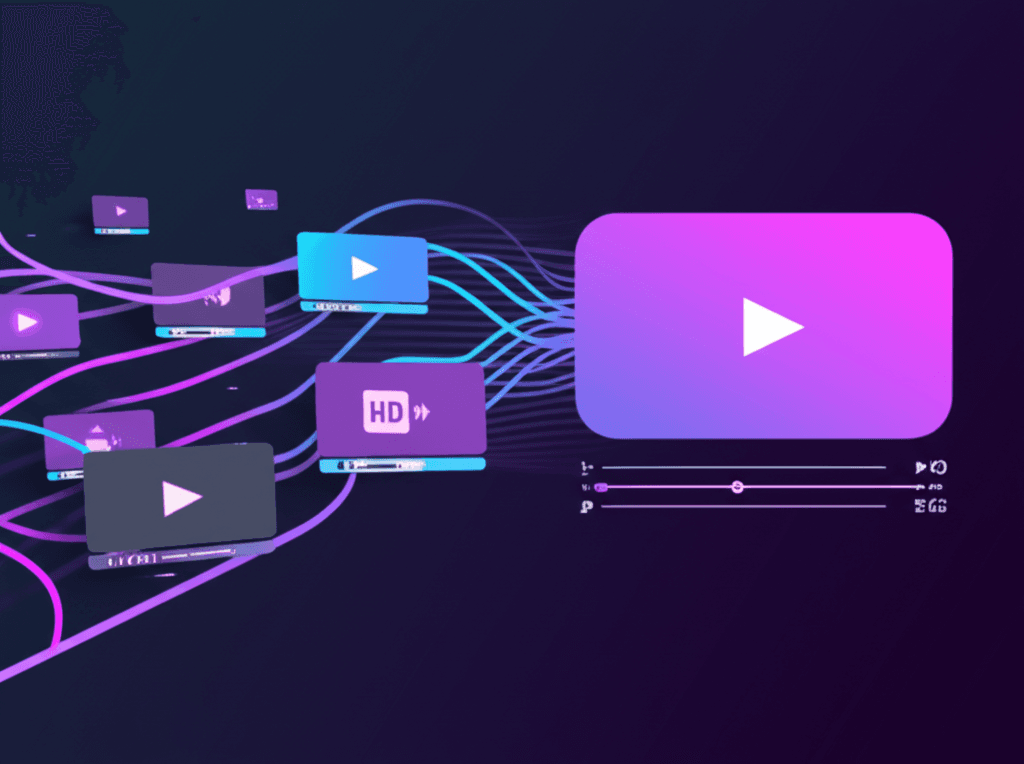
At its core, IPTV streaming converts video content into digital packets that travel across internet networks to reach individual viewers. This process involves multiple sophisticated technologies working together: video encoding compresses content for efficient transmission, streaming protocols manage how data is packaged and delivered, content delivery networks ensure geographic optimization, and player applications reassemble and display the final video.
How Live TV Streaming Actually Works
The journey of a live TV stream begins at the broadcast source, where content is captured and immediately encoded for internet delivery. This encoding process converts raw video into compressed digital formats like H.264, H.265 (HEVC), or the newer AV1 codec. Modern encoding creates multiple quality versions simultaneously, allowing adaptive streaming that adjusts to viewer bandwidth in real-time.
Once encoded, the video stream is segmented into small chunks, typically 2-10 seconds each. These segments are then distributed to servers worldwide through content delivery networks (CDNs). When you press play, your device connects to the nearest CDN server, downloads the manifest file that describes available quality levels, and begins fetching video segments sequentially. Your player maintains a buffer of upcoming segments while playing current ones, creating the illusion of continuous playback.
The magic of modern streaming lies in adaptive bitrate (ABR) technology. Your player constantly monitors network conditions and adjusts quality levels automatically. If your connection slows, the player switches to lower quality segments to prevent buffering. When bandwidth improves, quality increases seamlessly. This happens behind the scenes, often without viewers noticing the transitions.
Understanding Streaming Protocols
Several streaming protocols power IPTV services, each with distinct characteristics. Understanding these helps explain why different services may perform differently on the same network.
HLS (HTTP Live Streaming)
Developed by Apple, HLS is the most widely used streaming protocol. It works by breaking video into segments and serving them over standard HTTP connections. Key advantages include near-universal device compatibility, easy CDN distribution, and robust adaptive streaming. HLS typically has 10-30 second latency for live content, though Low-Latency HLS (LL-HLS) reduces this to 2-4 seconds.
MPEG-DASH (Dynamic Adaptive Streaming over HTTP)
An international standard developed by the Moving Picture Experts Group, DASH offers codec flexibility and isn't tied to specific ecosystems. It supports a wider range of video and audio codecs than HLS, making it popular for premium content. DASH performance matches HLS in most scenarios, though device support varies more.
RTMP and RTSP (Legacy Protocols)
Older protocols like RTMP (Real-Time Messaging Protocol) and RTSP (Real-Time Streaming Protocol) offer lower latency but require specialized infrastructure. While still used in some IPTV applications, they're being phased out in favor of HTTP-based protocols that work better with modern internet architecture and CDNs.
Video Quality and Bandwidth Requirements
Video quality in IPTV streaming depends on multiple factors: source resolution, encoding bitrate, compression efficiency, and available bandwidth. Understanding these relationships helps set realistic expectations and troubleshoot quality issues.
| Quality Level | Resolution | Bitrate Range | Recommended Speed |
|---|---|---|---|
| SD (Standard) | 480p | 1-3 Mbps | 5 Mbps |
| HD (720p) | 1280x720 | 3-5 Mbps | 10 Mbps |
| Full HD (1080p) | 1920x1080 | 5-10 Mbps | 15-20 Mbps |
| 4K UHD | 3840x2160 | 15-25 Mbps | 50 Mbps |
| 4K HDR | 3840x2160 + HDR | 20-40 Mbps | 75 Mbps |
Recommended speeds include headroom for network fluctuations and other household usage. During peak hours, you may need additional bandwidth buffer. Wired ethernet connections provide more consistent speeds than WiFi, especially important for 4K streaming where any interruption becomes visually noticeable.
Latency in Live Streaming
Latency, the delay between when something happens live and when you see it, varies significantly based on streaming implementation. Traditional broadcast TV has minimal latency, typically under 5 seconds. IPTV streaming introduces additional delays due to encoding, segmenting, CDN distribution, and client buffering.
Standard HLS/DASH implementations typically have 20-40 second latency. This matters most during live sports when social media spoilers arrive before your stream shows the action. Low-latency streaming protocols reduce this to 3-8 seconds but require more sophisticated infrastructure and can be less stable on congested networks.
For most IPTV viewing, the latency is imperceptible and doesn't affect enjoyment. Sports fans and live event viewers may want to disable social media notifications or seek providers specifically offering low-latency streams for important events.
Optimizing Your Streaming Experience
Several factors under your control significantly impact IPTV streaming quality. Network optimization often provides more improvement than hardware upgrades.
Network Optimization
- 1.Use wired ethernet when possible, especially for 4K streaming
- 2.Position router centrally, away from interference sources
- 3.Use 5GHz WiFi band for streaming devices (less congestion)
- 4.Enable QoS (Quality of Service) to prioritize streaming traffic
- 5.Consider mesh WiFi systems for large homes
Device Optimization
- 1.Keep streaming apps and device firmware updated
- 2.Clear app cache periodically to free resources
- 3.Close background apps when streaming
- 4.Restart devices weekly for optimal performance
- 5.Use hardware-accelerated video decoding when available
Content Delivery Networks: The Backbone of IPTV
Content Delivery Networks (CDNs) are essential infrastructure that makes global IPTV streaming possible. Rather than serving all viewers from a single server location, CDNs distribute content across hundreds or thousands of servers worldwide. When you request a stream, you're automatically connected to the nearest server with that content.
This geographic distribution reduces latency (data travels shorter distances), increases reliability (if one server fails, others can serve content), and improves capacity (no single server gets overwhelmed). Major CDN providers include Akamai, Cloudflare, Amazon CloudFront, and Fastly. Premium IPTV services typically use multiple CDNs to ensure consistent performance worldwide.
CDN performance can vary by region and time of day. Some viewers find that using VPN services to connect through different regions actually improves streaming quality by routing to less congested CDN nodes. However, this can also increase latency, so results vary.
The Future of IPTV Streaming Technology
Streaming technology continues advancing rapidly. Several developments will shape IPTV in coming years:
AV1 Codec Adoption: The royalty-free AV1 codec offers 30-50% better compression than H.265 at equivalent quality. As hardware support expands, this will enable higher quality streaming at lower bandwidths or 4K streaming over more modest connections.
Enhanced Low-Latency: New protocol developments like CMAF (Common Media Application Format) and LL-HLS are reducing live streaming latency to near-broadcast levels while maintaining adaptive bitrate benefits. Sports and live events will benefit most.
AI-Powered Quality: Machine learning is being applied to video encoding (achieving better compression), bandwidth prediction (smoother quality transitions), and content optimization (per-scene encoding parameters).
8K and Beyond: While 8K TVs remain niche, streaming infrastructure is preparing for next-generation resolutions. The bandwidth requirements are substantial (100+ Mbps), but improved codecs and growing internet speeds will eventually make 8K streaming mainstream.