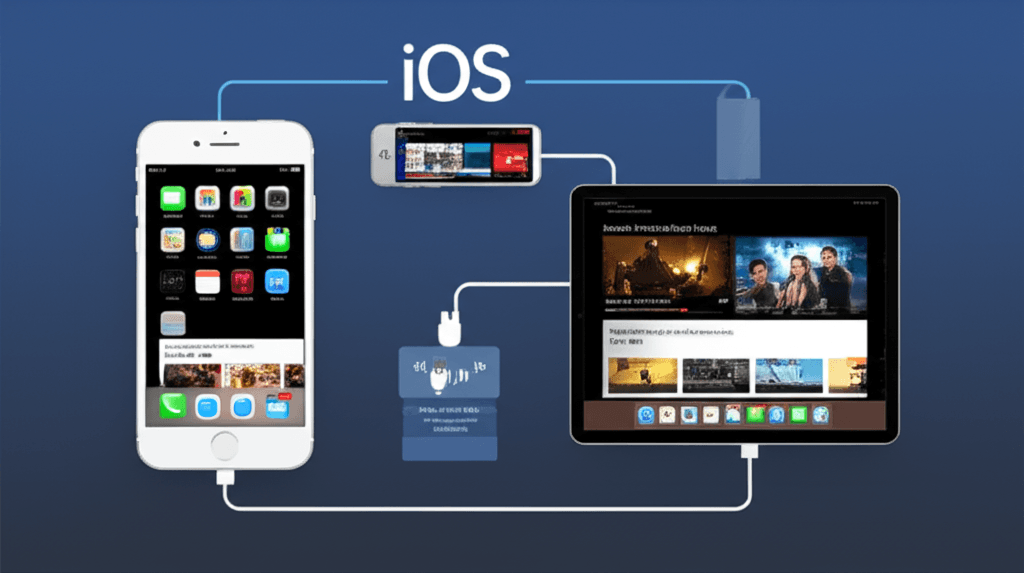
iOS as a Streaming Platform
Apple's iOS ecosystem has evolved into a sophisticated platform for media consumption, with iPhones and iPads serving as primary viewing devices for millions of users worldwide. The combination of high-quality Retina displays, powerful processors capable of efficient video decoding, and seamless integration with the broader Apple ecosystem makes iOS devices compelling options for IPTV viewing. Understanding the unique characteristics and capabilities of iOS helps users optimize their streaming experience on these devices.
Unlike more open platforms, iOS operates within Apple's carefully controlled ecosystem, which brings both advantages and limitations for IPTV users. The App Store's curation ensures applications meet certain quality and security standards, but also restricts some functionality available on other platforms. Apple's hardware-software integration enables excellent performance and battery efficiency, while features like AirPlay extend content to larger screens seamlessly. These characteristics shape how IPTV services function on iOS compared to Android or dedicated streaming devices.
The iPad particularly stands out as a streaming device, offering screen sizes from 8.3 inches to 12.9 inches with display quality that rivals dedicated monitors. iPad Pro models feature ProMotion technology with 120Hz refresh rates, Mini-LED backlighting on recent generations, and wide color gamut support—specifications that enhance video content reproduction. For many users, iPads have become primary entertainment devices, replacing secondary televisions for bedroom or personal viewing.
Understanding iOS Media Playback
iOS employs sophisticated media frameworks that handle video playback efficiently across applications. The AVFoundation framework provides developers with tools to create streaming applications that leverage hardware acceleration for supported codecs. This hardware-level optimization means H.264 and H.265 streams play with minimal CPU usage, preserving battery life during extended viewing sessions. Understanding these technical foundations helps users appreciate why certain streams perform better than others on iOS devices.
Apple's video codec support has expanded over iOS generations, though it remains more conservative than Android implementations. H.264 (AVC) enjoys universal support across all iOS devices capable of video playback. H.265 (HEVC) hardware decoding arrived with the A9 chip, enabling efficient 4K playback on devices from iPhone 6S onward. VP9 support came later and varies by device, with some models relying on software decoding that impacts battery life. These codec considerations affect which IPTV streams play optimally on different iOS device generations.
The Apple Silicon chips powering recent devices deliver exceptional video processing capabilities. The A-series chips in iPhones and iPads include dedicated video decoder blocks that handle multiple simultaneous 4K streams without stressing the main processor cores. This architecture enables features like picture-in-picture playback while maintaining system responsiveness. M-series chips in iPad Pro models bring desktop-class performance that handles any streaming workload effortlessly, though such power exceeds typical IPTV requirements.
IPTV Application Categories for iOS
The iOS App Store hosts several categories of applications relevant to IPTV viewing, each serving different user needs and service types. Generic IPTV players accept standard M3U playlists or Xtream Codes API credentials, providing flexibility to work with various IPTV services. These applications typically offer electronic program guides, favorites management, and playback controls tailored for live television. Popular options include GSE Smart IPTV, IPTV Smarters Pro, and various other players that have established user bases.
General-purpose media players like VLC for Mobile and Infuse offer IPTV playback as part of broader media capabilities. VLC supports network streams directly and handles a wide range of video formats, serving as a reliable fallback when dedicated IPTV apps encounter compatibility issues. Infuse excels at media library organization and provides excellent format support with a polished user interface, though its focus lies more on local media than live streaming. These versatile players suit users who consume both IPTV and other media types.
Some IPTV providers offer dedicated iOS applications built specifically for their services, providing optimized experiences with features tailored to their content and infrastructure. These native apps often integrate more deeply with iOS features like Siri Shortcuts, widgets, and notification systems. However, they lock users to specific services and may not accept credentials from other providers. The trade-off between flexibility and optimization depends on individual viewing habits and service preferences.
AirPlay and Screen Extension
AirPlay represents one of iOS's most valuable features for IPTV users, enabling wireless transmission of content from iPhones and iPads to larger displays. This technology transforms portable devices into sophisticated streaming terminals, with the larger screen handling video output while the iOS device serves as player and remote control. Understanding AirPlay's capabilities and limitations helps users maximize this functionality for IPTV viewing.
The technical implementation of AirPlay affects streaming quality and reliability. When AirPlay mirrors the iOS device screen, it transmits a compressed video feed of the entire display, introducing additional encoding overhead. However, many applications support direct AirPlay video streaming, which sends the video content directly to the receiving device for decoding. This direct approach provides better quality and efficiency, preserving iOS device battery while delivering optimal video to the television.
AirPlay 2, the current generation of the technology, improves on earlier versions with better reliability, reduced latency, and expanded device compatibility. Beyond Apple TV, AirPlay 2 support appears in smart TVs from Samsung, LG, Sony, and other manufacturers. Multi-room audio capability enables synchronized sound across multiple AirPlay speakers. For IPTV users, AirPlay 2's improvements mean more consistent streaming to televisions with fewer dropouts and interruptions compared to original AirPlay implementations.
Apple TV Integration
Apple TV serves as the natural extension of iOS IPTV viewing to the living room television, running tvOS—an operating system derived from iOS with television-optimized interface conventions. The relationship between iOS devices and Apple TV creates a unified viewing experience, with features like automatic device switching, shared credentials through iCloud, and content handoff between screens. This ecosystem integration distinguishes Apple's approach from standalone streaming devices.
The Apple TV 4K provides hardware capabilities that exceed typical IPTV requirements, with the A15 Bionic chip handling 4K HDR content effortlessly. Dolby Vision and Dolby Atmos support enable premium content playback when available, while Wi-Fi 6 and Gigabit Ethernet ensure adequate bandwidth for any stream quality. The device's processing power leaves ample headroom for demanding video codecs and interface animations simultaneously, providing smooth performance regardless of content complexity.
IPTV applications on tvOS often mirror their iOS counterparts, with interfaces adapted for television viewing and remote control navigation. Developers typically maintain feature parity between platforms, allowing users to expect similar functionality whether viewing on iPad or Apple TV. Some applications support Universal Purchase, meaning buying on one platform grants access on both. This unified approach simplifies the user experience for those invested in Apple's ecosystem.
iOS-Specific Streaming Features
Picture-in-Picture mode enables continued viewing while using other applications, a feature particularly valuable for following live events while handling other tasks. iOS implements PiP at the system level, allowing compatible applications to continue video playback in a floating window. Users can resize and reposition the PiP window, or temporarily hide it off-screen while retaining audio. This multitasking capability distinguishes iOS streaming from many dedicated devices.
Siri integration varies by application but can enable voice control for playback when supported. Commands like requesting specific channels or content types work with applications that implement SiriKit properly. Siri Shortcuts extend this functionality further, enabling custom voice commands that trigger specific actions within IPTV applications. These voice control options prove particularly useful when casting to Apple TV, where the iOS device serves as a remote control.
iOS widgets provide at-a-glance information on the home screen, with some IPTV applications offering widgets showing current programming or quick-access to favorite channels. Widget integration reflects deeper iOS system integration that enhances the overall streaming experience. Combined with Focus modes that can enable or disable notifications based on activity, iOS offers sophisticated control over how streaming fits into daily device usage.
Network and Connectivity Considerations
iOS devices support modern Wi-Fi standards, with recent iPhones and iPads featuring Wi-Fi 6 or Wi-Fi 6E for maximum wireless performance. These advanced standards provide higher throughput and better performance in congested environments, benefiting streaming quality especially in multi-device households. The consistency of Apple's Wi-Fi implementations typically ensures reliable connectivity, though physical environment factors still affect real-world performance.
Cellular streaming on iPhones enables IPTV viewing anywhere with mobile data coverage, though bandwidth limitations and data caps require consideration. iOS allows applications to specify quality preferences for cellular versus Wi-Fi connections, and users can restrict certain apps from using cellular data entirely. 5G networks increasingly provide bandwidth suitable for HD streaming away from Wi-Fi, though coverage and congestion vary significantly by location and carrier.
Download and offline viewing capabilities depend on application implementation and service support. Some IPTV services enable recording or caching content for later viewing without internet connection, though live channel streaming inherently requires connectivity. iOS's storage management can affect downloaded content, with the system potentially removing cached files under storage pressure. Understanding these limitations helps users plan for offline viewing scenarios.
Optimizing iOS Streaming Performance
Several settings and practices optimize IPTV streaming performance on iOS devices. Ensuring adequate available storage prevents system throttling that can affect streaming applications. Keeping iOS updated provides the latest performance improvements and codec support. Background app refresh settings can affect how quickly streaming apps resume, while battery optimization features may impact background playback behavior.
Display settings affect both battery consumption and visual quality during streaming. Auto-Brightness adapts screen output to ambient conditions, while True Tone adjusts color temperature for viewing comfort. For critical viewing, disabling these automatic adjustments ensures consistent color reproduction. Night Shift's blue light reduction may affect content appearance, particularly for color-accurate viewing of films or television content mastered for standard display color temperatures.
Audio output configuration determines sound quality and routing during IPTV playback. iOS supports Bluetooth audio, AirPods with spatial audio features, and wired connections through Lightning or USB-C adapters. External DACs and headphone amplifiers work with compatible iOS devices for enhanced audio quality. Understanding these options enables users to configure optimal audio paths for different viewing scenarios, from private headphone listening to full home theater integration.
Frequently Asked Questions
What types of IPTV apps are available for iOS devices?
iOS devices support several categories of IPTV applications. Generic M3U playlist players like GSE Smart IPTV, IPTV Smarters, and Xtream IPTV Player accept standard IPTV credentials and playlist formats. Native video players like VLC and Infuse can play IPTV streams directly. Some services offer dedicated iOS apps built specifically for their platform. The App Store has stricter policies than other platforms, so app availability and features may differ from Android alternatives. Apps must comply with Apple's guidelines regarding content and functionality.
How does AirPlay work for IPTV streaming?
AirPlay enables wireless streaming from iOS devices to Apple TV or AirPlay-compatible smart TVs, effectively turning your iPhone or iPad into a remote control while viewing content on a larger screen. The iOS device handles stream decoding while mirroring or casting the video output to the television. AirPlay 2 improves on the original technology with better reliability, multi-room audio support, and reduced latency. Quality depends on both the source stream and local Wi-Fi network performance, as content travels from internet to iOS device to Apple TV.
What video formats and codecs does iOS support for streaming?
iOS natively supports H.264 (AVC) and H.265 (HEVC) video codecs, the most common formats used in IPTV streaming. Hardware acceleration provides efficient playback with minimal battery drain for these codecs. VP9 support varies by device generation, with newer devices handling it through software decoding. Audio codec support includes AAC, MP3, and AC3, though surround sound passthrough capabilities depend on output method. Third-party players like VLC can decode additional formats through software, though with increased battery consumption.
Can iPads replace traditional televisions for IPTV viewing?
iPads offer compelling alternatives to traditional TVs for personal viewing, with high-quality Retina displays, portable form factors, and integrated speakers. The iPad Pro features display quality rivaling many televisions, with P3 wide color gamut and ProMotion 120Hz refresh rate on recent models. Screen size remains the primary limitation compared to televisions, though iPads excel for bedside viewing, travel, or secondary viewing locations. Connection to external displays via USB-C or Lightning adapters enables television-scale viewing when desired.
iOS Device Capabilities
- • H.264/H.265 hardware decoding
- • Up to 4K HDR playback
- • AirPlay 2 wireless streaming
- • Picture-in-Picture multitasking
- • Siri voice control support
Popular iOS IPTV Apps
- • GSE Smart IPTV
- • IPTV Smarters Pro
- • VLC for Mobile
- • Infuse Video Player
- • Xtream IPTV Player